How the pieces fit together
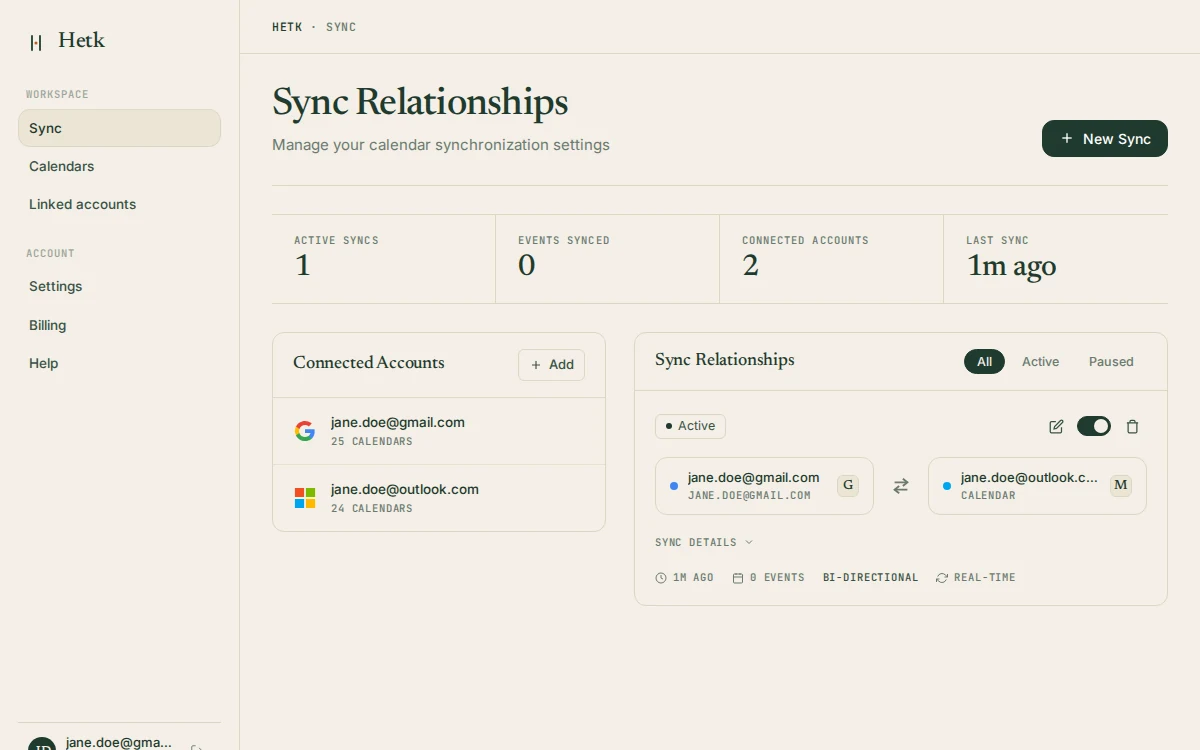
The features above aren’t a checklist of separate tools. They’re the parts of one setup, and they make the most sense together. You connect your accounts, you create a sync relationship between two calendars, you pick a direction, and you decide how much of each event the other side should see. That’s the whole model. Everything else is Hetk doing that job reliably while you forget about it.
A sync relationship is the unit you work with. Each one links a source calendar to a target, carries its own direction, and has its own privacy settings. You can have several at once, pointed in different directions, and they don’t interfere. A common arrangement is one-way mirrors flowing into a calendar you read, plus a private “Busy” sync flowing out to a calendar other people read. The use-case pages show real versions of this for freelancers, lawyers, executive assistants, and others.
What isn’t here is also deliberate. No scheduling assistant, no AI rewriting your meeting titles, no platform-flavoured extras. The title templates are deterministic by design: a pattern you write, applied the same way every time, with no model deciding anything. The reasoning behind keeping AI out of the product is in why Hetk has no AI.
What “real-time” actually means
When you create or move an event in Google Calendar or Outlook, the provider notifies Hetk through a push subscription, and the change lands on the other calendar within seconds rather than on a timer. Hetk renews those subscriptions before they expire, so you never have to think about reconnecting. Apple iCloud has no push mechanism, so Hetk polls it on a schedule instead; changes there appear within the polling window rather than instantly. The result is the same in practice: you stop copying events by hand.
Two safeguards run underneath. Duplicate detection keeps the same event from being written twice, which is the failure mode most ad-hoc sync setups eventually hit. And because Hetk tracks each synced event by its identifier, an edit updates the existing copy instead of creating a second one.
Pick a plan by how many syncs you need
Both plans include every feature on this page: bi-directional sync, all three providers, the full set of privacy controls, and real-time updates. The difference is how many sync relationships you can run at once. Personal covers up to three sync pairs, which suits keeping a work and personal calendar aligned or handling a couple of clients. Professional covers up to eight, for people coordinating several calendars across providers and organisations. Connected calendars are unlimited on both; only the number of active sync pairs is capped. Every account starts with a 21-day free trial that includes full access, so you can build your real setup before deciding.
Still weighing Hetk against another tool? The comparison pages go feature by feature, and the 2026 calendar sync roundup puts the main alternatives side by side. Wondering whether your specific situation is a good fit? The FAQ answers the questions we hear most.